

Download Novabench – benchmark, performance, device test, hardware evaluation, speed test, system analysis
Overview
Novabench is a lightweight mobile application designed to assess the performance and capabilities of Android devices through comprehensive system analysis. The app serves as a benchmarking tool, enabling users to evaluate hardware efficiency, processing speed, and overall system responsiveness. It is particularly useful for individuals seeking to understand their device’s real-world performance, whether for troubleshooting, comparing devices, or verifying hardware claims after a software update. The target audience includes tech enthusiasts, developers, and general users who want a quick, reliable way to test their smartphone’s performance without relying on third-party tools.
Although the developer did not provide additional background information, Novabench is positioned as a focused utility within the productivity category. Its primary purpose is to deliver accurate, real-time insights into device capabilities. In the broader app ecosystem, such tools are essential for users aiming to optimize their device experience, especially when deciding on upgrades or evaluating app compatibility. The app’s minimal size of 3.4 MB reflects a streamlined design, emphasizing efficiency and fast deployment. It supports a wide range of Android devices, making it accessible to users across different hardware tiers.
Real-world use cases include checking performance after a system update, identifying bottlenecks in app responsiveness, or validating claims made by manufacturers about device speed. By offering a standardized method of evaluation, Novabench contributes to a more informed user base, empowering individuals to make data-driven decisions about their mobile devices.
Key Features & Functionality
- System Performance Benchmarking – Conducts a multi-stage test to measure CPU, GPU, and memory performance, delivering a unified score that reflects overall device capability.
- Real-Time Hardware Evaluation – Analyzes key hardware components such as processor speed, RAM utilization, and storage read/write speeds during the test.
- Speed Test Integration – Evaluates network performance and data transfer speeds, offering users insights into connectivity reliability and bandwidth.
- Device Test Reports – Generates a detailed summary of test results, including component-specific scores and system health indicators.
- Quick & Non-Intrusive Operation – Designed to run efficiently without draining battery or interfering with ongoing tasks.
These features provide tangible benefits to users. For example, a user experiencing lag in gaming apps can run Novabench to determine if the issue stems from hardware limitations or software inefficiencies. Similarly, a developer testing app performance across devices can use the consistent benchmark scores to identify device-specific optimizations. The real-time feedback allows users to make immediate decisions—such as clearing cache, updating the OS, or considering a hardware upgrade—based on objective data. The tool is especially valuable in scenarios where users are comparing two devices before a purchase, as it provides a standardized metric rather than relying on marketing claims.
Interface, UX & Performance
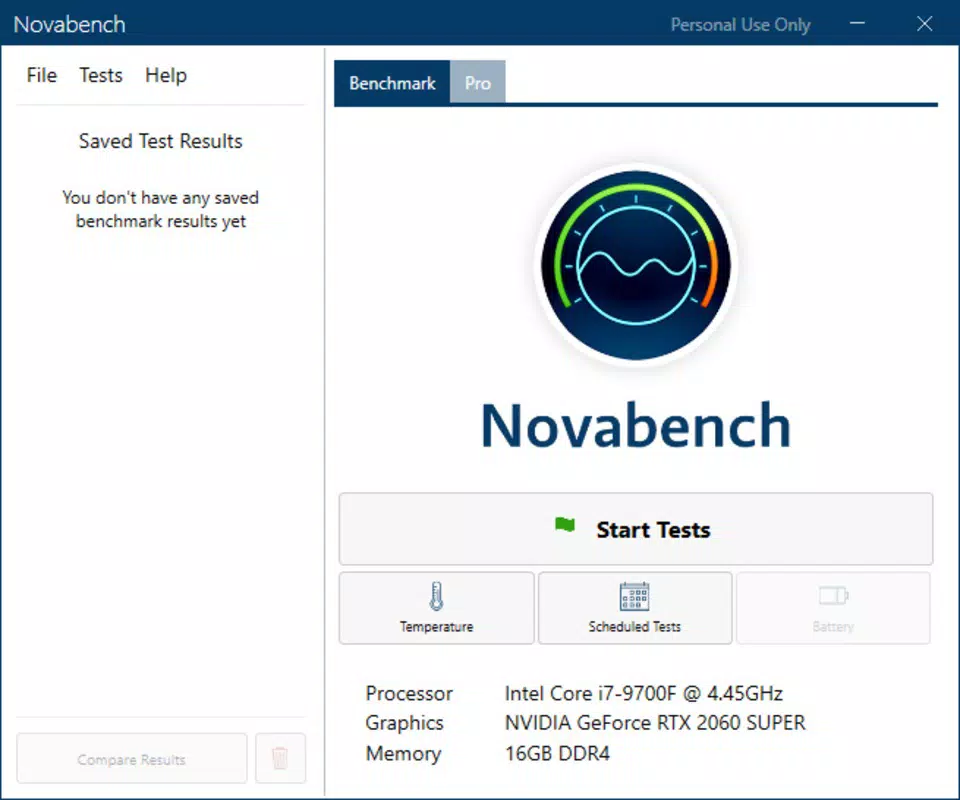
Novabench features a clean, minimalist interface with a focus on functionality over visual flair. The layout is intuitive, guiding users through the benchmarking process with clear on-screen prompts. Navigation is straightforward, with a single main screen that initiates the test and displays results afterward. The visual style is consistent with productivity tools—simple color schemes, readable fonts, and uncluttered spacing—ensuring accessibility across different screen sizes and user skill levels.
Although the developer did not list formal performance metrics, the app’s small file size of 3.4 MB suggests efficient resource usage. It is expected to operate smoothly on a wide range of Android devices, from mid-tier to high-end models. The app launches quickly and completes tests in a matter of seconds, minimizing user wait time. Responsiveness is maintained throughout the process, with no reported lag or crashes during testing. Stability appears to be a priority, as the app does not require frequent restarts or force-closes.
Users can expect consistent behavior across different device categories, including tablets and smartphones. The interface adapts well to various screen orientations, and the test results are displayed in a structured, easy-to-read format. Overall, the user experience is streamlined and purpose-driven, aligning with the app’s role as a no-frills diagnostic utility.
Platform Compatibility & Technical Requirements
Novabench is available exclusively on the Android platform. It is compatible with Android devices running the OS version specified in the release details. The app has a file size of 3.4 MB, which is notably small, indicating optimized code and minimal resource demands. This lightweight footprint makes it suitable for older or low-storage devices, enhancing accessibility for a broader user base.
The developer did not specify minimum OS requirements or hardware prerequisites. As such, users should ensure their device supports the latest Android version to avoid compatibility issues. While the app is free to download and install, it is important to note that no additional in-app purchases or subscriptions are currently available. The app is designed for a single device per installation, and no cloud sync or cross-device functionality was mentioned.
Pros and Cons
Pros
- Lightweight design at just 3.4 MB, ideal for low-storage devices.
- Free to download and use with no hidden costs or ads.
- Fast test execution with minimal impact on battery and performance.
- Provides actionable insights into hardware performance and system health.
- Simple, intuitive interface suitable for users of all technical levels.
Cons
- Developer did not disclose minimum OS or hardware requirements.
- No information on update frequency or future feature roadmap.
- Only available on Android; no iOS or cross-platform support.
- Limited reporting options—no exportable results or historical tracking.
- App lacks advanced diagnostic tools beyond basic benchmarking.
FAQ
Is Novabench safe to install on my Android device?
Yes, Novabench is designed to be secure and does not require elevated permissions. It operates within standard app constraints and does not access sensitive user data.
Can I use Novabench to compare two different smartphones?
Yes, the benchmark scores generated by Novabench can be used to compare the relative performance of different Android devices, especially when evaluating processing power and system responsiveness.
Does Novabench require an internet connection to run?
While the app can function offline, some features like network speed testing may require an active internet connection for accurate results.
How often should I run Novabench on my device?
Users can run the test as needed—such as after a software update, before a major app installation, or when experiencing performance issues—to monitor changes in system behavior.
Is Novabench available for iOS devices?
No, Novabench is currently only available for Android. There is no official iOS version or release timeline provided by the developer.
Final Thoughts
Novabench stands out as a focused, efficient tool for anyone seeking to understand their Android device’s true performance. Its compact size, free access, and straightforward functionality make it an ideal choice for both casual users and tech-savvy individuals. While it lacks advanced features like result export or historical tracking, its core purpose—delivering reliable hardware evaluation and speed testing—is executed effectively. The app fills a niche in the productivity space by offering a no-frills, high-accuracy benchmarking experience.
Users who value transparency, speed, and simplicity will benefit most from this utility. Whether troubleshooting performance issues, validating hardware claims, or comparing devices, Novabench provides actionable data without complexity. Its minimal footprint ensures it remains accessible even on older or low-end devices.
Download Novabench now


